
Quill Can Now Edit Your Files, With Your Approval at Every Step

Cloudpen Team
Quill started as a small panel that answered questions. It is now a full AI workspace that can work on your files, and it never touches anything without your say-so.
A workspace, not a popup
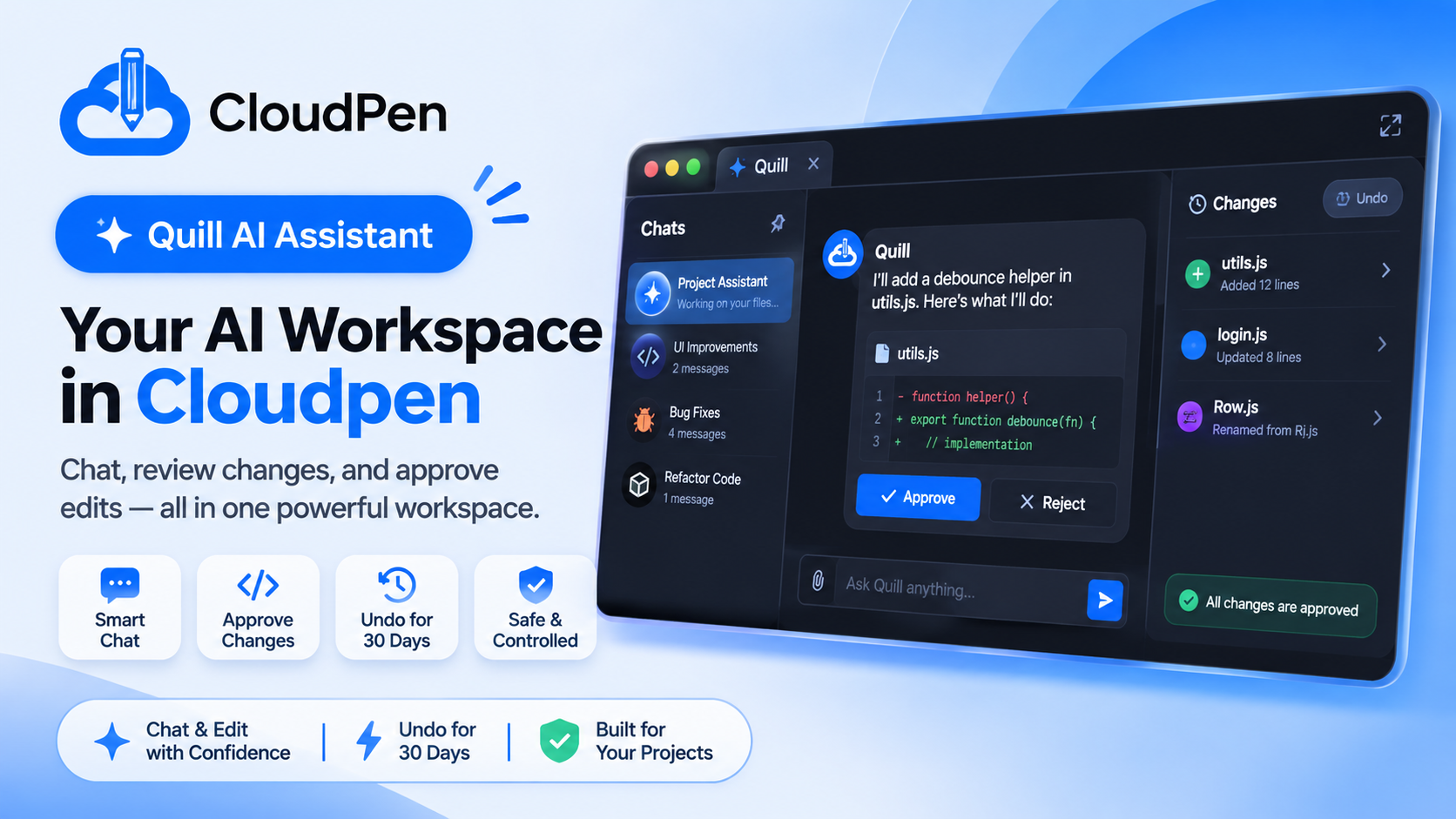
Use the size button in the Quill header to cycle through docked, wider and full screen. In full screen you get three areas:
- Chats on the left, with pinned chats first.
- The conversation in the middle, with approval cards and a plan checklist for bigger jobs.
- A Changes pane on the right, listing every file Quill touched with its diff and an Undo button.
Open Quill from the title bar, with Ctrl+Shift+I (Cmd+Shift+I on Mac), or by right-clicking a file or selected code and choosing Explain or Fix. The file comes along already attached.
Ask for a change
Quill decides from your message whether to answer or to change files. A change word such as create, add, edit, fix, rename, delete, refactor or implement makes it a change request. Name the file you care about so Quill does not have to guess.
- Create utils.js with a debounce helper
- Fix the redirect bug in login.js
- Rename Rj.js to Row.js
You approve every change
- Quill explains in a sentence or two what it is about to do.
- An approval card appears with a diff. Green lines are added, red lines are removed.
- You choose Approve or Reject. When several safe changes are waiting, Approve all appears. Deletes are never part of it, and each one needs its own click.
- The server checks the file before writing. If you edited it since Quill proposed the change, nothing is written and Quill asks you to request it again.
Undo for 30 days
Quill takes a snapshot before every action, so any applied change can be undone for 30 days.
| If Quill | Undo does this |
|---|---|
| Created a file | Deletes the file |
| Edited a file | Restores the previous text |
| Renamed a file | Moves the file back |
| Deleted a file | Restores the file |
What Quill sees, and what it never sees
Quill reads the file you have open, files you name, selected code, and the project's file list. Files such as .env, .env.*, *.pem, *.key, id_rsa* and .npmrc are never sent to the model and never written.
It follows your project permissions
| Permission | Ask Quill | Approve create, edit, rename | Approve delete |
|---|---|---|---|
| Read or public | Yes | No | No |
| Write | Yes | Yes | No |
| Admin or Owner | Yes | Yes | Yes |
Limits by plan
| Plan | AI requests / day | File changes / day | Chat history kept |
|---|---|---|---|
| Free | 3 | 5 | 3 days |
| Pro | 100 | 50 | 30 days |
| Team | 1,000 | 500 | 90 days |
| Enterprise | 5,000 | Unlimited | Never expires |
Pro and above can connect their own API key, which removes the daily request limit. Pinned chats never expire.
What Quill does not do
Quill does not run commands or your app, so use the terminal and Live Server for that. It does not deploy, change billing or touch secrets. Deploying from Quill, with live stages and logs, is next on the roadmap.
Quill can make mistakes, so always read the diff before you approve.